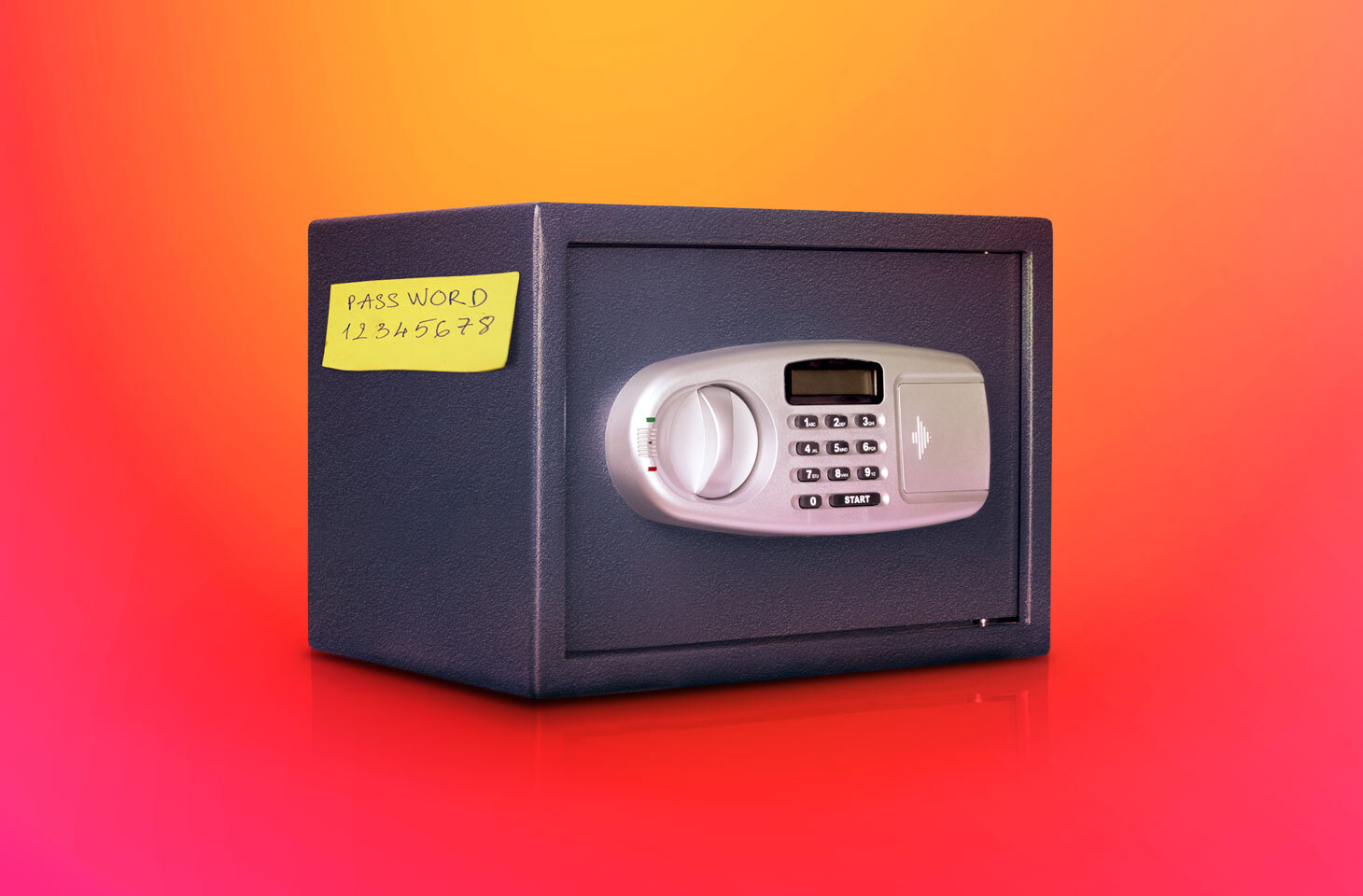
Password leaks are one of the most annoying problems of the digital age. At first glance, it might seem like no big deal: who cares if someone finds out the password to some old e-mail account that is rarely used and contains nothing of value? But then you remember that this same e-mail is linked to your social show more ...
network accounts, not to mention banking and other apps, and its now in cybercriminal hands. Besides the anguish of losing money and data, such a leak can cause major headaches for your friends, family and colleagues — after all, a hijacked account can be used to send phishing or scam e-mails in your name to all your contacts. In this post, we explain how your credentials can be stolen and how to reduce the risk of them leaking. Sure, caution and vigilance play a massive role in it, but there are hi-tech solutions specifically designed to prevent leaks, which often handle threats much better than the naked eye. Trojan stealers These stealthy spies, once on your device, usually display no visible signs of activity. After all, the longer they remain under the radar, the more of your data they can steal and pass to their handlers, such as passwords for banking apps or gaming services. A Trojan can get on your computer or smartphone if you open a malicious file sent by another user, downloaded from a website or copied from external media. Remember that any executable file from the internet is a potential trap. But even those files that look like non-executables need to be treated with caution. Cybercriminals do their best to fool victims by disguising malicious files as images, videos, archives, documents, etc., and often they succeed. For example, they might change the icon or use a fiendishly cunning filename that mimics a safe format. Whats more, even an ordinary Office document can turn into a trap under certain conditions: a malicious script in the document can exploit a vulnerability in the program you use to open it. Therefore, to combat such leaks, we recommend installing a security solution that can detect and block spyware Trojans. If you use Kaspersky, youre already armed with: File Anti-Virus that scans the contents of your device and any connected media, and detects malicious files; Mail Anti-Virus that blocks dangerous links and attachments in e-mails. Phishing Phishing e-mails come in a variety of forms, but the goal is always to lure you to a fake website and get you to enter your credentials. It might be a message saying your bank account has been blocked, or an early-bird offer to subscribe to an online movie theater. Or it might be a phishing link from an attractive stranger on Tinder, a potential buyer of your product on Amazon, or even a close friend (if their e-mail was hacked by scammers). The standard tip in this situation is to look carefully at the URL: some fake sites have an extra letter in the address, a double domain name, etc. However, that does not always help since modern cybercriminals have learned how to disguise their fakes. For example, in case of a browser-in-the-browser attack, you might see a phishing site with a genuine address. So its better to play it safe and use a security solution that spots phishing attacks and warns you about them. In your Kaspersky application, this is handled by: URL Advisor that checks the URL against a cloud database of dangerous sites; Safe Browsing that checks the site content for malicious elements. Browser attacks Often, passwords get stolen through browser vulnerabilities or extensions. In the first case, specially crafted code on a web page plants spyware on your device. In the second, you yourself install a malicious script under the guise of a handy browser plug-in. After that, when you go to, say, a bank website, this script redirects all traffic through a hacker proxy server, spilling your credentials in the process. The Safe Money feature in Kaspersky provides protection against such attacks. It automatically enables Protected Browser mode when you visit online stores or banks, or use online payment systems. Public Wi-Fi Attackers can also intercept data (including passwords) sent over the network if youre using unencrypted or old WEP-protected Wi-Fi. Another variant is when a hacker sets up a public Wi-Fi hotspot with a name similar to an existing network (usually belonging to a nearby cafe, hotel or business center). The inattentive user connects to the fake hotspot and all their internet traffic flows straight to the cybercriminals. You can avoid such leaks by carefully checking network names, avoiding suspicious access points, and disabling automatic connection to Wi-Fi. Better still, ensure that all your traffic is encrypted, then, even if you do connect to the wrong hotspot, eavesdroppers wont know what youre sending or where. You can enable VPN Secure Connection in your Kaspersky application in the settings under Privacy. Note that with the Plus and Premium versions, you get unlimited VPN traffic. Passwords all around Then of course there are people who write down passwords on sticky notes and bits of paper, then leave them in full view of any passerby. Dont be like them. It is also dangerous to write passwords in insecure text files on your computer or smartphone, or store passwords in the browser for autofilling. So what to do instead? After all, infosec experts bleat on about the need for strong passwords that cant be brute forced. They also dont stop ranting about never using the same password more than once, because if it gets stolen, attackers will have more to steal from you. Is the solution, then, to create a memory palace full of long, complex passwords? But hardly anybody has such a gifted mind. An easier option is to use a password manager protected by strong encryption. Simply enter all your usernames and passwords and memorize just one master password for the vault itself. In your Kaspersky application, this secure vault is provided by Password Manager. Whatever you do, dont write your master password on a sticky note attached to the monitor! External leaks All of the above is about keeping passwords safe at your end, but leaks often occur in remote internet services: online stores, social networks, crypto exchanges, or any other resource with login authentication. By hacking such a site, cybercriminals can get ahold of a huge user database, plus passwords and other personal data. Whats more, the owners of such sites are not always keen to report such hacks. Meanwhile, your data gets passed around or put up for sale on the dark web. Infosec experts monitor the publication of such databases and warn users. As always, however, be careful: here, too, such experts might appear to be scammers in disguise. This is a common phishing method: the user receives a message about an alleged leak and is invited to follow a link to a site asking for their credentials supposedly for verification, whereupon the password is stolen for real. Your Kaspersky application has a service for checking whether a leak really happened or not. Called Data Leak Checker, it is found on the Privacy tab. It lets you check whether your e-mail is spotted in a stolen database somewhere. If so, you will receive a list of leaky sites, the type of data made public (personal, banking, online activity history and so on), as well as recommendations on what to do about it. Protection for all seasons Of course, password theft is not the only misfortune that can befall your digital self. Attackers have all kinds of tricks up their sleeve for stealing valuable data, emptying online bank accounts and causing other harm: spyware, ransomware, fake websites, malicious miners, the list goes on. But never fear: we keep a close eye on cybercriminal creativity and continuously improve our products to deliver the best protection in the world against all digital threats. So, you can always rely on Kaspersky to warn of danger in good time, block malicious objects and generally keep you out of trouble.
Group-IB found a link between the ATMZOW JS Sniffer campaign and the Hancitor malware downloader, claiming to be operated by the same malicious actors. The use of the same JS obfuscation method and similar domain names were found in campaigns by ATMZOW and Hancitor. Group-IB posted a number of IOCs connected to the attacks.
The TA558 threat actor was found running phishing campaigns targeting several hotels and firms in the hospitality and travel sector, with 15 unique malware families.
The filing in San Francisco federal court requested a 60-day stay of the action while lawyers finalize the settlement. That timeline suggested further details could be disclosed by late October.
The issue, tracked as CVE-2021-38406 (CVSS score: 7.8), impacts DOPSoft 2 versions 2.00.07 and prior. Successful exploitation of the flaw may lead to arbitrary code execution.
Iran-based Charming Kitten hacking group, aka APT35, was found using the new Hyperscrape tool to download Yahoo!, MS Outlook, and Gmail inboxes. Hyperscraper has been used on a small number of accounts, fewer than two dozen, all users from Iran. Users are suggested to improve their existing defenses by activating the Enhanced Safe Browsing feature and enrolling in Google’s Advanced Protection Program.
A new Escanor RAT is being advertised on Telegram and the dark web. The RAT comes in both Android and PC versions, with HVNC module and exploit builder. Most of its victims are located in the U.S., the UAE, Canada, Kuwait, Bahrain, Egypt, Israel, Saudi Arabia, Singapore, and Mexico.
Researchers have shared details on DirtyCred, a previously unknown privilege escalation vulnerability affecting the Linux kernel. It works the same as Dirty Pipe when it comes to bypassing all the kernel protections. It allows underprivileged processes to write to arbitrary readable files for escalation of privilege.
Threat actors are hacking unprotected WordPress sites to display fake Cloudflare DDoS protection pages to propagate malware that installs Raccoon Stealer and NetSupport RAT. The attack used scripts to show the fake DDoS code required to view the site and install the NetSupport RAT. Additionally, the scripts download Raccoon Stealer and run it on the system.
The flaw could let hackers trick pilots into using the wrong settings, potentially causing a crash, by tampering with data. An alert was issued by the US Federal Aviation Administration earlier this month after researchers identified the problem.
Cyble experts have dissected the operation of IBAN Clipper malware that boasts a monthly subscription model for financial frauds on Windows-based systems. IBAN Clipper uses a multithreading way for quick clipper operation and extracts clipboard data to retrieve text data from the clipboard in ASCII Text or UnicodeText format.
New research by Group-IB found that the websites were hacked using a method known as SQL injection, where malicious computer code is injected into a website to gain unauthorized access.
The Montenegrin government earlier last week reported the first in a series of cyberattacks on its servers but said it managed to prevent any damage. However, the attack seems to be ongoing.
The operators wanted to make sure that Entrust's data is available from multiple sources and, besides publishing it on their site, they also shared the torrent over at least two file storage services, with one of them no longer making it available.
Attackers moved from large hospital systems and payers, big targets that would likely yield the most data but also have more sophisticated defenses, to smaller hospitals and specialty clinics that lag in security preparedness, staff size, or budget.
Initially, cybercriminals operating on Russian and English hacker forums were selling around 80 GB of stolen data for 15 BTC (~$294,000). However, on August 19, the group dropped the price to 1 BTC (~$19,000) for 70 GB worth of data.
Researchers uncovered a barrage of campaigns aimed at internet users who often attempt to download pirated software programs. In the attachment comes the RedLine or RecordBreaker stealer payloads. Some of these malicious software include Wondershare Dr. Fone, Adobe Acrobat Pro, 3DMark, and 7-Data Recovery Suite.
A new BEC campaign has been discovered combining sophisticated spear-phishing with Adversary-in-The-Middle (AiTM) tactics to hack corporate executives' Microsoft 365 accounts, even those protected by MFA. Corporate executives are suggested to stay alert.
Due to its shoestring budget, the HHS Office for Civil Rights has fewer investigators than many local police departments, and its investigators have to deal with more than a hundred cases at a time.
The threat actor behind the Twilio hack used their access to steal one-time passwords (OTPs) delivered over SMS from customers of Okta identity and access management company.
A Turkish-speaking entity called Nitrokod has been attributed to an active cryptocurrency mining campaign that involves impersonating a desktop application for Google Translate to infect over 111,000 victims in 11 countries since 2019.
It’s not just the sheer number of vulnerabilities that rise year after year, but also the serious nature of those that do arise, and the increased number of attacks targeting the changing map of technology risks at organizations.
Authorities say hackers used an email hack to steal more than $13 million in state funding. More than $10 million has been recovered, but those responsible are still out there.
Approximately one-third of software packages from the Python Package Index (PyPi) are vulnerable to a design feature that allows an attacker to automatically execute code when downloaded on a computer.
While attacks on municipalities increased only slightly, the analysis by Barracuda Networks showed that ransomware attacks on educational institutions more than doubled, and attacks on the healthcare and financial verticals tripled.
CyberX9 said that multiple vulnerabilities in the system of Vodafone Idea (Vi) exposed the call data records, comprising the time when a call was made, the call duration, location, customer name and address, and SMS details of the recipient.
Rapid7 said the overarching point of the research they’ve conducted on Cisco highlights the risk of a malicious actor using ASA to hide or embed malicious code to gain further access into a targeted network.
“A federal agency is due next month to deliver a list of cybersecurity goals the Biden administration wants owners of the most critical digital infrastructure to meet — a list that has spawned industry criticism," Washington Post reported.
In a communication posted on its website, the airline apologized to its customers for the data breach and the incident has been "self-reported" to the nodal agency, the Indian Computer Emergency Response Team (CERT-In).
The alert comes months after CISA and FBI had released technical details about how the group operates, along with indicators of compromise, and sample ransom notes.
Global cybersecurity firm Kaspersky warns of an increase in cyberattacks on Android and iOS devices in the Asia Pacific (APAC) as more people switch to mobile banking in the region.
The U.S. Federal Trade Commission (FTC) announced today that it filed a lawsuit against Idaho-based data broker Kochava for selling sensitive and precise geolocation data (in meters) collected from hundreds of millions of mobile devices.
Software development and security solutions provider JFrog has disclosed the details of several vulnerabilities affecting the OPC UA protocol, including flaws exploited by its employees at a hacking competition earlier this year.
Kiwi Farms is a website that hosts user-generated content and discussion forums. The site has been accused of doxing, harassment, and cyberbullying. Kiwi Farms has been banned from several social media platforms and domain providers.
Based on the acquired samples and additional insights related to the security incident, the bad actors were able to gain unauthorized access to the government portal allowing them to manage users and records illegally.
An investigation into the alleged use of Pegasus spyware on Indian citizens identified malware on five of the 29 volunteers who submitted their devices for forensic examination.
When visiting the cthulhu-world.com site, which is now down, users are greeted with a well-designed website, containing information about the project and an interactive map of the game's environments.
Lottery officials announced this cyberattack around 9:30 a.m., though it is unclear when the attack first began. Officials said people visiting the site should not click on any pop-up messages.
It has been 22 days since the outage and Carenotes is yet to be restored. Staff at a Birmingham hospital were told on 17 August that restoration could take a further five weeks.
Treasury and Israel’s Ministry of Finance have maintained a partnership in cybersecurity matters since 2021 through a bilateral task force to help protect the financial sector.
Ubuntu Security Notice 5584-1 - It was discovered that Schroot incorrectly handled certain Schroot names. An attacker could possibly use this issue to break schroot's internal state causing a denial of service.
The U.S. Cybersecurity and Infrastructure Security Agency (CISA) on Friday added 10 new actively exploited vulnerabilities to its Known Exploited Vulnerabilities (KEV) Catalog, including a high-severity security flaw affecting industrial automation software from Delta Electronics. The issue, tracked as CVE-2021-38406 (CVSS score: 7.8), impacts DOPSoft 2 versions 2.00.07 and prior. A successful
Twilio, which earlier this month became a sophisticated phishing attack, disclosed last week that the threat actors also managed to gain access to the accounts of 93 individual users of its Authy two-factor authentication (2FA) service. The communication tools company said the unauthorized access made it possible for the adversary to register additional devices to those accounts. It has since
A Turkish-speaking entity called Nitrokod has been attributed to an active cryptocurrency mining campaign that involves impersonating a desktop application for Google Translate to infect over 111,000 victims in 11 countries since 2019. "The malicious tools can be used by anyone," Maya Horowitz, vice president of research at Check Point, said in a statement shared with The Hacker News. "They can
If you're heading out of the office on a well-deserved vacation, are you certain the security controls you have in place will let you rest easy while you're away? More importantly – do you have the right action plan in place for a seamless return? Whether you're on the way out of – or back to – the office, our Security Validation Checklist can help make sure your security posture is in good
A new ransomware strain written in Golang dubbed "Agenda" has been spotted in the wild, targeting healthcare and education entities in Indonesia, Saudi Arabia, South Africa, and Thailand. "Agenda can reboot systems in safe mode, attempts to stop many server-specific processes and services, and has multiple modes to run," Trend Micro researchers said in an analysis last week. Qilin, the threat